
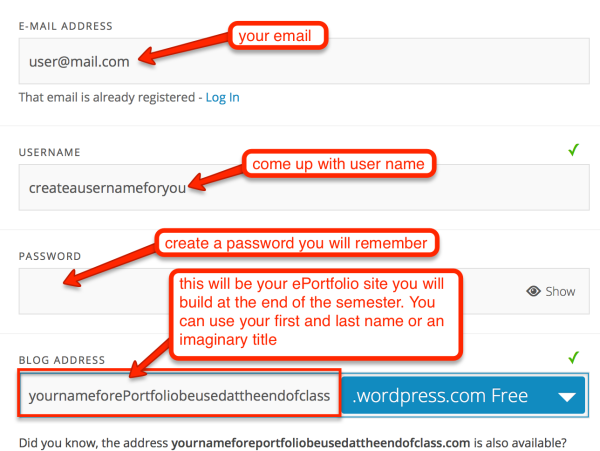
1. In order to be an Author on the class blog, you will have to register as WordPress User. Go to wordpress.com and follow the steps to create an account. Use your UAuser@alaska.edu email to register as I will send you an invitation to join the class blog to that account. You will also be prompted to register and create your own WordPress blog. This personal blog will be used as your ePortfolio site at the end of the semester:
2. You will receive an email in your alaska.edu email account with an invitation to join the class blog: http://cits220uaf.wordpress.com. The email will look like this:
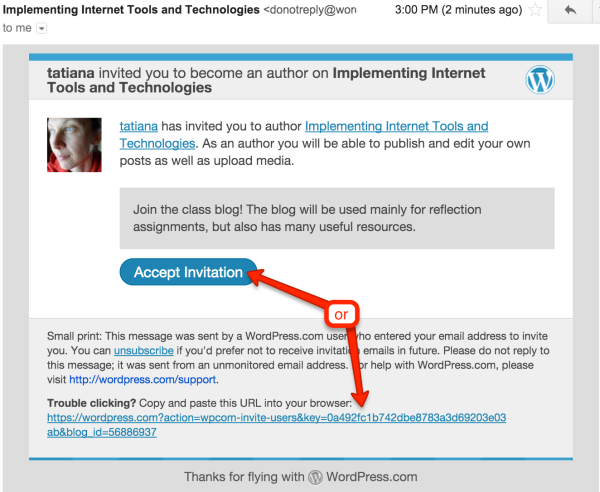
Accept the invitation. It will take you straight to WordPress Login page. Log in to your newly created WordPress account credentials.